

Guide
Withdraw to your bank account
Money from a sale, or any national currency in your balance, can go to your own bank account. The fee is shown before you enter an amount.
Step 1Choose To my bank account
Open Withdraw, pick the currency and choose To my bank account. The card shows the fee and how long it takes.
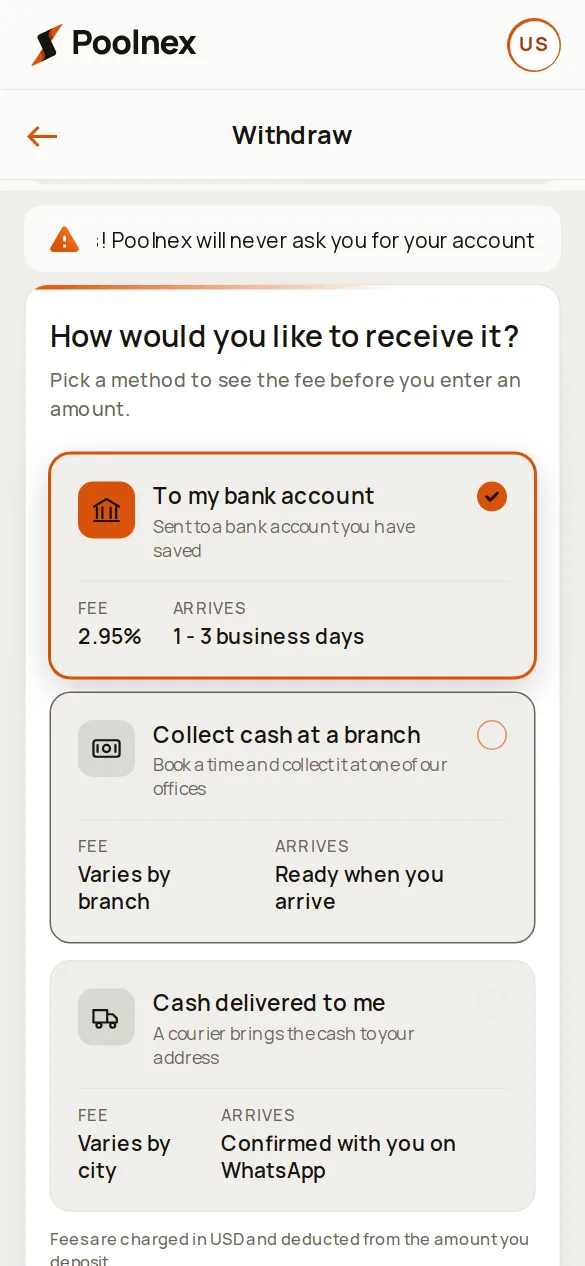
How would you like to receive it? To my bank account, with its fee and timing Step 2Add your bank account
Choose Add Address and enter the details of a bank account in your own name. It is saved for next time.
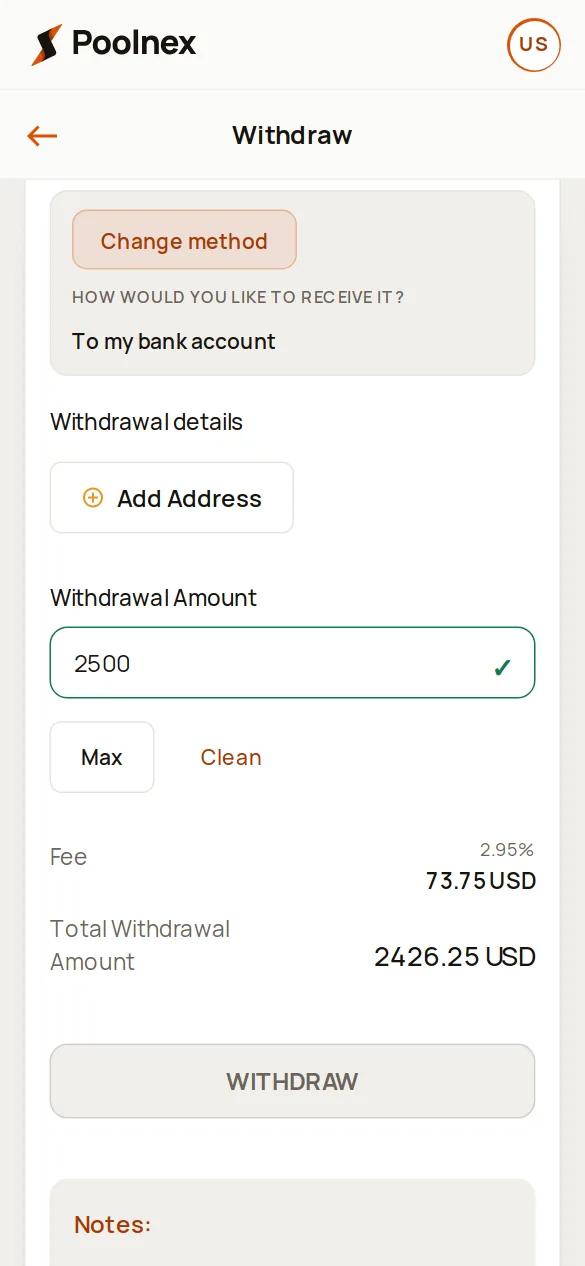
Withdrawal details: add a bank account, the amount, the fee and the total Step 3Enter the amount and confirm
The fee and total are shown as you type. Choose Withdraw and confirm. You may be asked to identify yourself before the transfer is sent.


About this service
How it works, what it costs
Withdraw to your bankSend money from your balance to your own bank account.More guides
Next steps
Ready to try it?
Open your account in minutes. Every service is ready once you are verified.