

Guide
Turn on auto-convert
Auto-convert turns each deposit into the currency you choose once it is credited, at the rate at that moment. Businesses use it to settle crypto payments into their own currency.
Step 1Open Preferences
In your profile, open Preferences and choose Set up next to Auto-convert.
Step 2Choose your currency and exceptions
Choose the currency to convert into. Every coin is listed: tap any you would rather keep as they arrive.
Choose Turn on auto-convert.
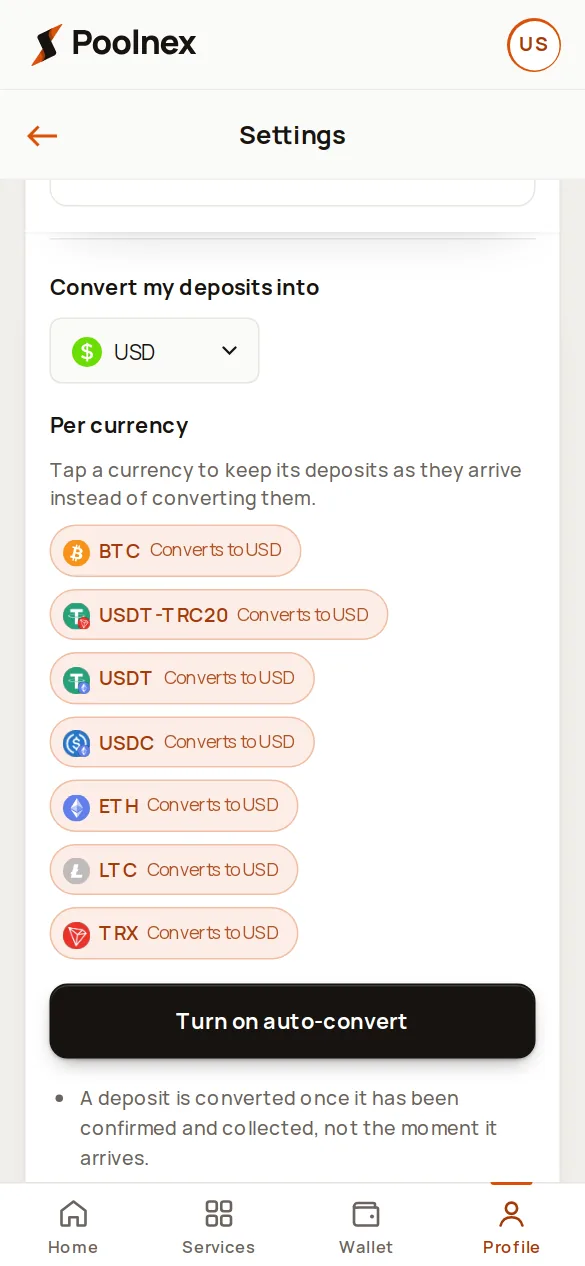
Auto-convert settings: the target currency and a chip for each coin

Good to know
- A deposit is converted once it has been confirmed and collected, not the moment it arrives.
About this service
How it works, what it costs
Settlement and auto-convertTurn every payment into national currency or USDT, automatically.Ready to try it?
Open your account in minutes. Every service is ready once you are verified.