

Deposit crypto
Each coin has its own deposit address in your wallet. Poolnex charges nothing to receive crypto, and the deposit is credited once the network confirms it.
Before you start
- A verified Poolnex account
- The wallet or exchange you are sending from
Step 1Open Deposit and choose the coin
Choose Deposit at the top of the screen or in your wallet. The list shows the coins you can send in, with your balance in each.
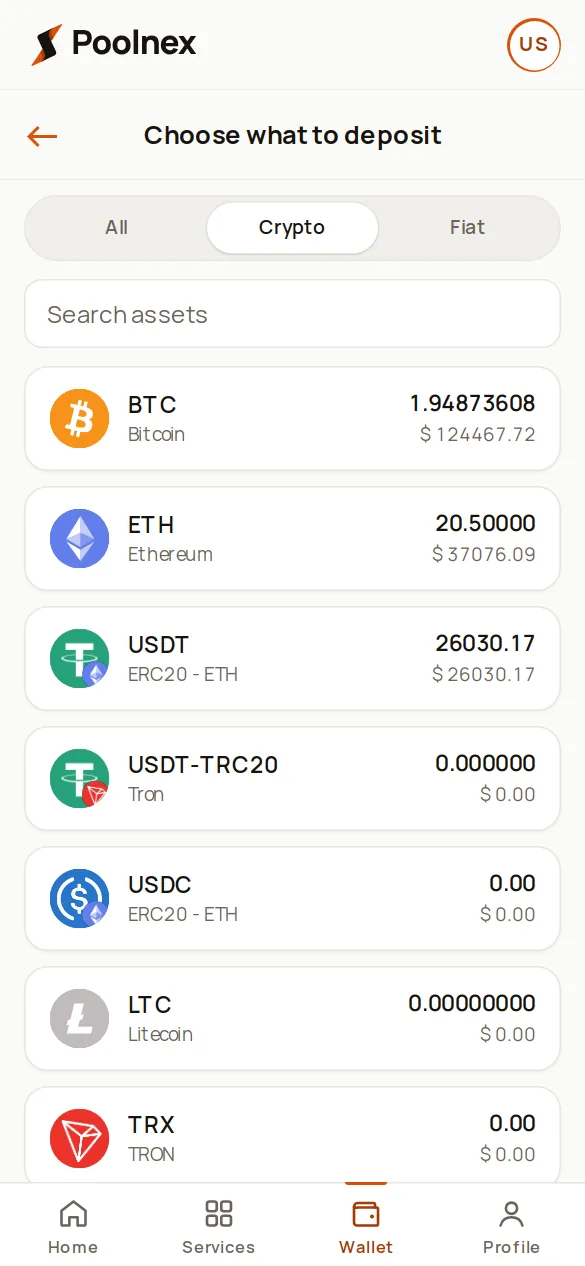
Choose what to deposit: BTC, ETH, USDT on two networks, USDC, LTC and TRX Step 2Check the network
USDT arrives on TRON (USDT-TRC20) or on Ethereum (USDT ERC20); each has its own address. Choose the one the sending wallet uses.
Crypto sent on another network may never arrive and may not be recoverable.
Step 3Copy the address or scan the code
Copy the deposit address, or scan its QR code with the sending wallet. Check the first and last characters after you paste it.
The notes beside it show the minimum deposit and how many confirmations the coin needs. A deposit under the minimum is not credited.
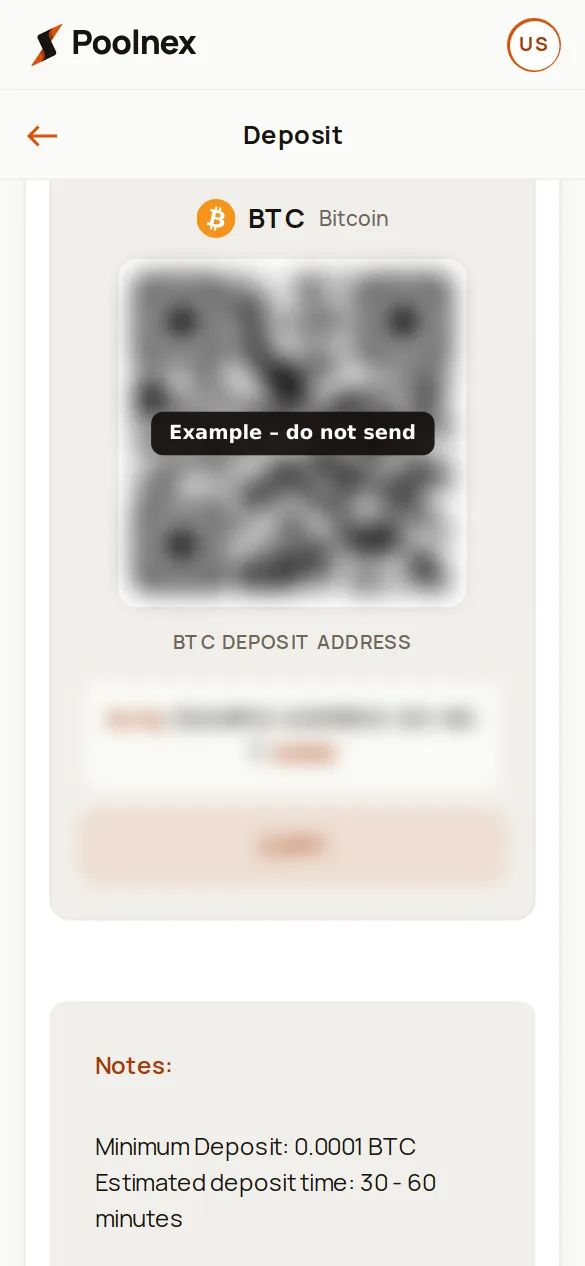
A Bitcoin deposit address with its QR code and the notes: minimum and confirmations (example, blurred) The address and QR code in this picture are blurred examples. Always use the address your own account shows.
Step 4Wait for the confirmations
The deposit appears in Activity straight away and is credited to your balance once the network has confirmed it.


Questions
Can I deposit XRP, Solana or Dogecoin?
Not from outside Poolnex. Those coins can be bought, held and sold here, but not sent in or out.
Is there a fee?
Not from Poolnex. The wallet or exchange you send from may charge its own network fee.
How it works, what it costs
Deposit cryptoSend crypto in from any wallet or exchange. No Poolnex fee.Ready to try it?
Open your account in minutes. Every service is ready once you are verified.