

Guide
Install Poolnex on your phone
Poolnex runs in your phone’s browser and installs from it. It then opens full screen from your home screen, like any app, with everything you can do on a computer.
Step 1Open Poolnex on your phone
On an iPhone or iPad use Safari; on Android use Chrome. Open poolnex.com and sign in.
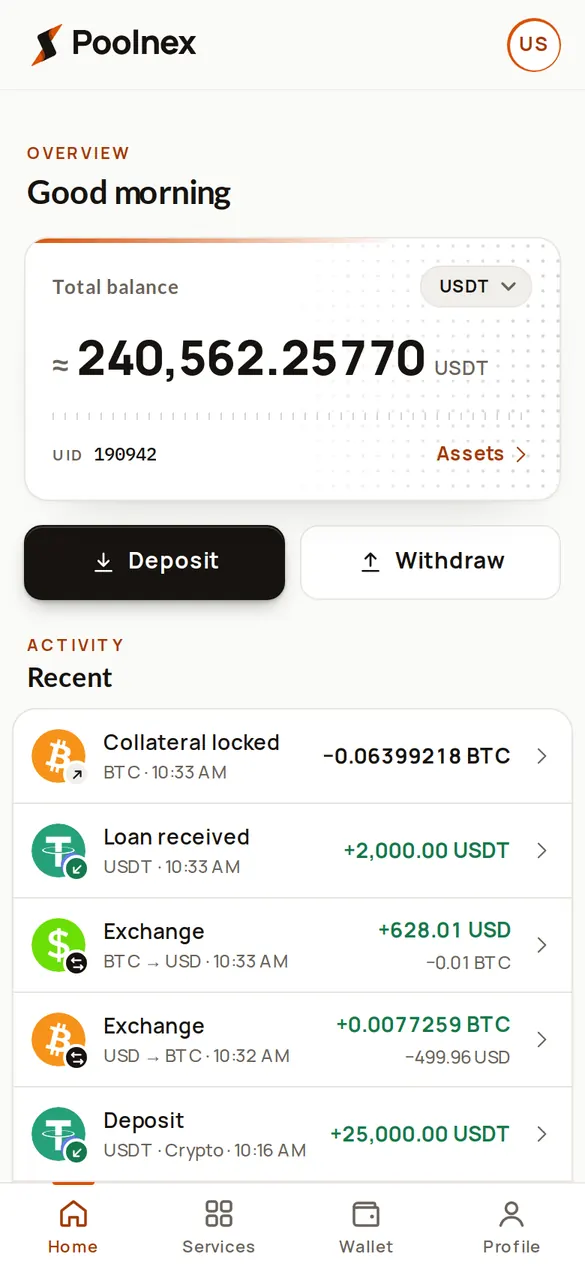
Poolnex on an iPhone: total balance, Deposit and Withdraw, recent activity Step 2Choose your device
Open Services, then Poolnex Application, and choose iPhone & iPad or Android to see the steps for your phone.
Step 3Add it to your home screen
iPhone: tap the Share icon in Safari’s toolbar, choose Add to Home Screen, then Add.
Android: tap Install when Chrome offers it, or open Chrome’s menu and choose Install app.
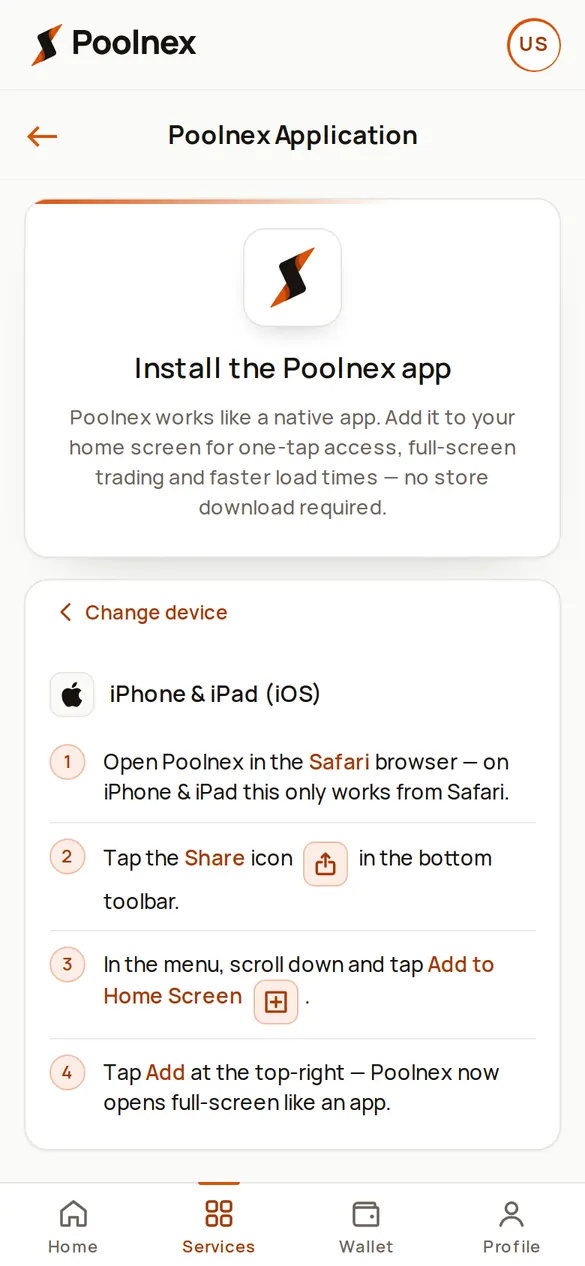
The install steps for iPhone and iPad
Good to know
- Sign in with Face ID or a fingerprint by adding a passkey (see the security guide).
About this service
How it works, what it costs
Poolnex on your phoneAdd Poolnex to your home screen. No app store needed.Ready to try it?
Open your account in minutes. Every service is ready once you are verified.