

Deposit by bank transfer
Bank transfers are carried out by regulated payment partners. You send from a bank account in your own name, and the transfer confirmation you upload is how we match the money to you.
Before you start
- A verified account
- A bank account in your own name
Step 1Choose the currency and Bank Transfer
Open Deposit, choose US dollars or another currency, and pick Bank Transfer. Its fee and timing are on the card, and the minimum is in the notes.
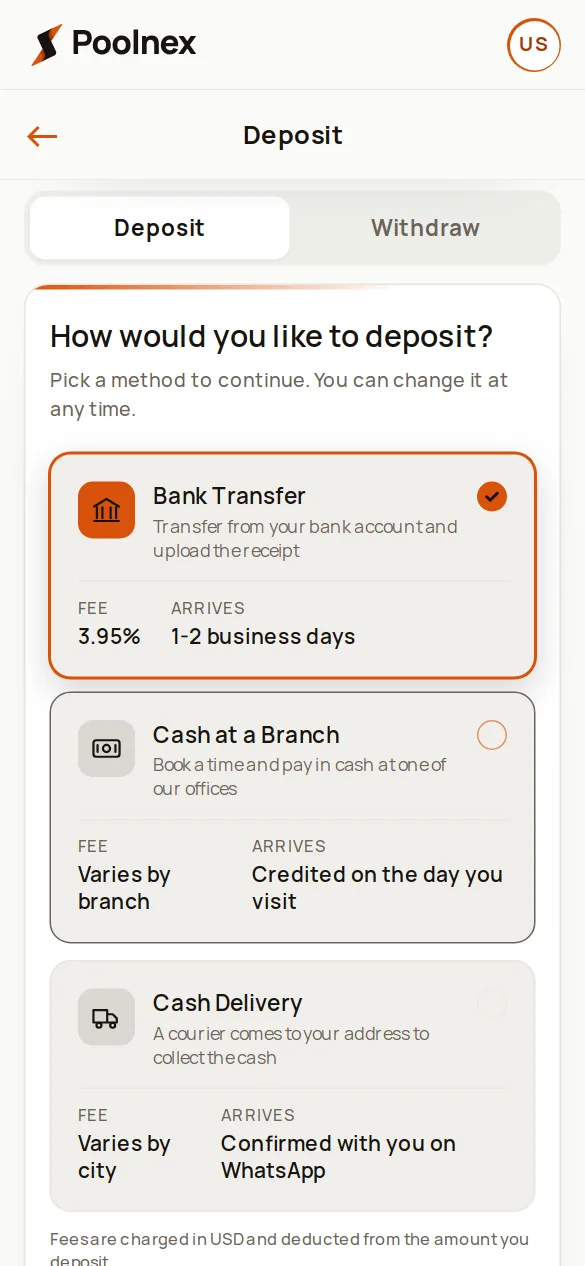
How would you like to deposit? Bank Transfer selected, with its fee and timing Step 2Get our bank details
Choose Continue, then WhatsApp or Telegram: we send you the bank account details straight away.
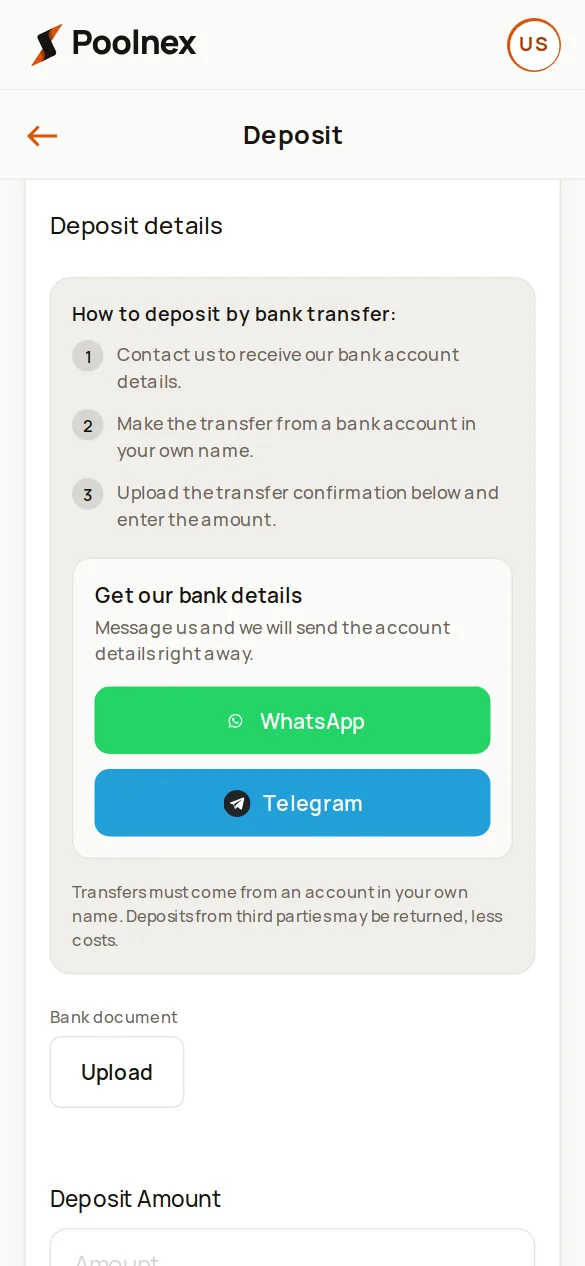
How to deposit by bank transfer, with WhatsApp and Telegram buttons, the receipt upload and the amount Step 3Make the transfer
Send it from a bank account in your own name. A transfer from anyone else cannot be credited and may be returned, less costs.
Step 4Upload the confirmation and enter the amount
Upload your bank’s transfer confirmation, enter the amount you sent and choose Deposit.
It is usually credited within 1 to 3 business days, and you can follow it in Activity.


How it works, what it costs
Deposit by bank transferSend money from your bank to your balance.Ready to try it?
Open your account in minutes. Every service is ready once you are verified.