

Guide
Buy crypto
You pay with national currency in your balance and the crypto lands in your wallet at once. The price and fee are shown, and held, before you confirm.
Before you start
- National currency in your balance (see the bank and cash guides)
Step 1Open Buy
Choose Exchange Crypto, then Buy & Sell with Fiat and Buy. Pick the currency you pay with and the coin you want.
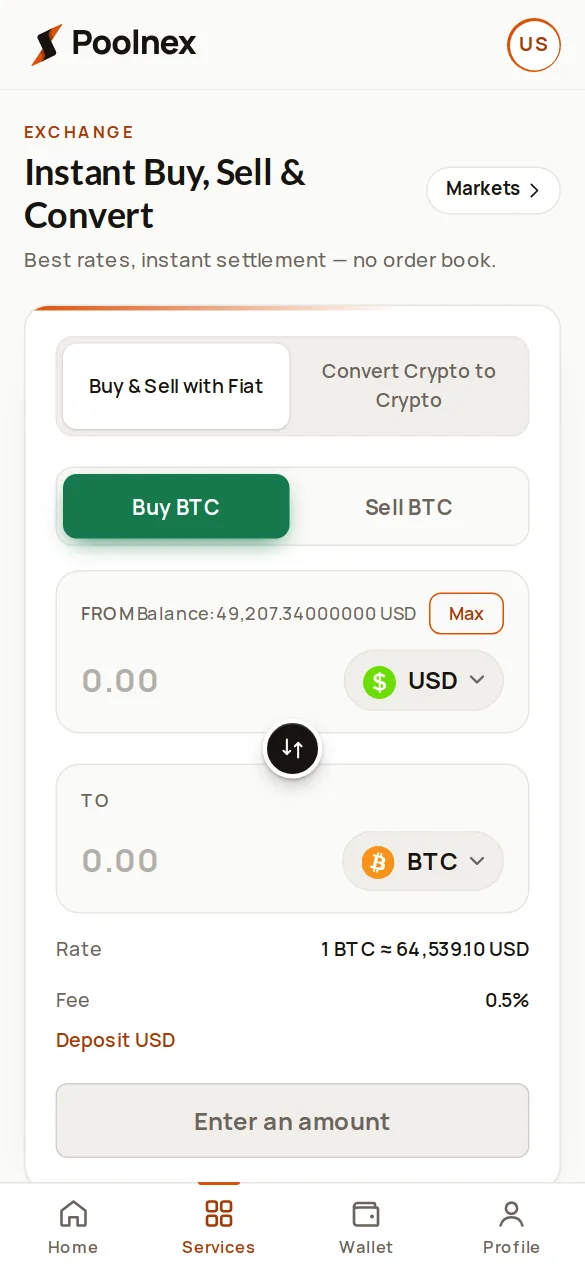
Instant Buy, Sell & Convert: buy BTC with USD, with the rate and fee Step 2Enter the amount
Type what you spend, or what you want to receive. The quote shows the price, the fee and exactly what you get.
The rate is locked for a countdown while you decide; if it runs out, a fresh quote appears.
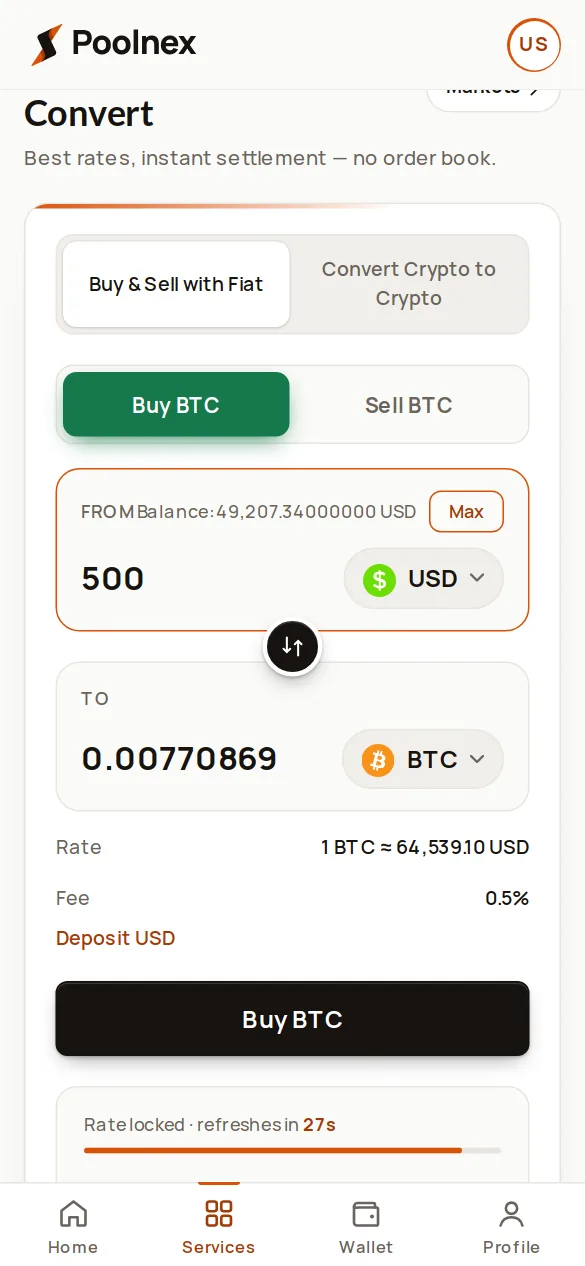
A quote for 500 USD of Bitcoin with the rate locked and refreshing Step 3Confirm
Choose Buy BTC. The trade settles at once: the coin is in your wallet and the receipt is in Activity.


About this service
How it works, what it costs
Buy cryptoPay with national currency and get crypto in your wallet at once.Ready to try it?
Open your account in minutes. Every service is ready once you are verified.