

Withdraw crypto
A withdrawal shows its fee before you confirm, and asks for your app PIN and a code sent to your phone, so only you can move your money. Once sent, a crypto transaction cannot be reversed: check the address carefully.
Before you start
- A verified account with a confirmed phone number
- The receiving address, from a wallet you alone control
Step 1Enter the address and amount
Open your wallet, choose the coin, then Withdraw. Paste the receiving address: a tick shows it is a valid address for that coin.
Enter the amount. The fee and the total you send are shown below it, and the notes show the minimum.
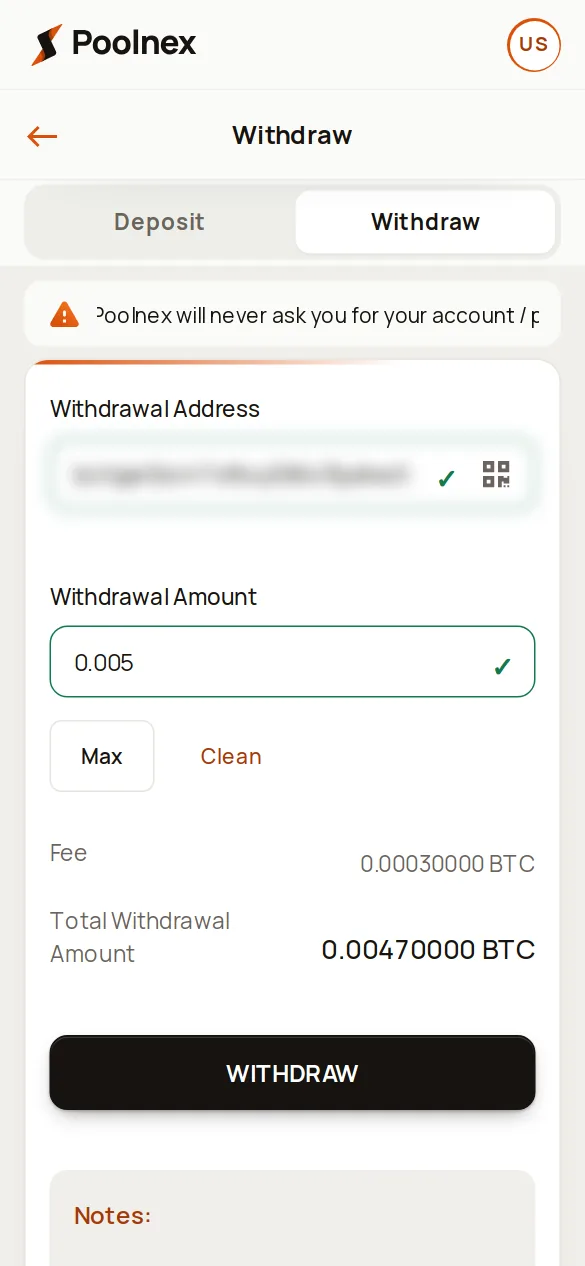
A Bitcoin withdrawal: address (blurred), amount, fee and total Step 2Enter your PIN
Choose Withdraw and enter your app PIN. Your first withdrawal asks you to create one: 4 to 6 digits you will remember.
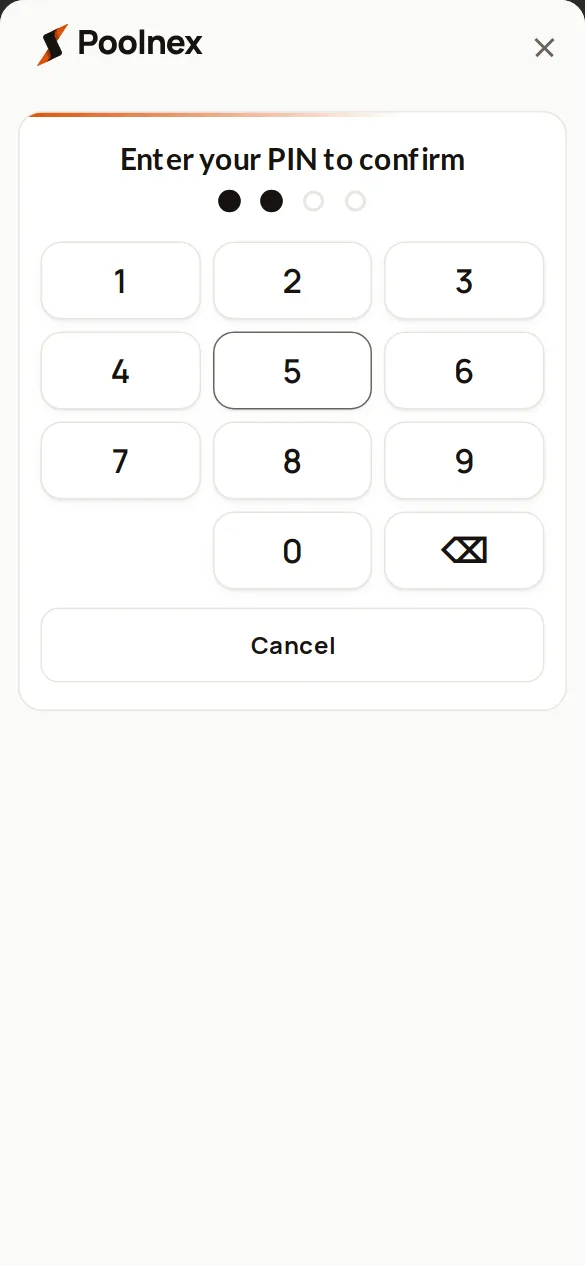
Enter your PIN to confirm Step 3Enter the SMS code
We send a code to your phone by SMS. Type it and choose Confirm.
Cannot receive SMS? Contact support: we can set your account to confirm withdrawals with your PIN alone.
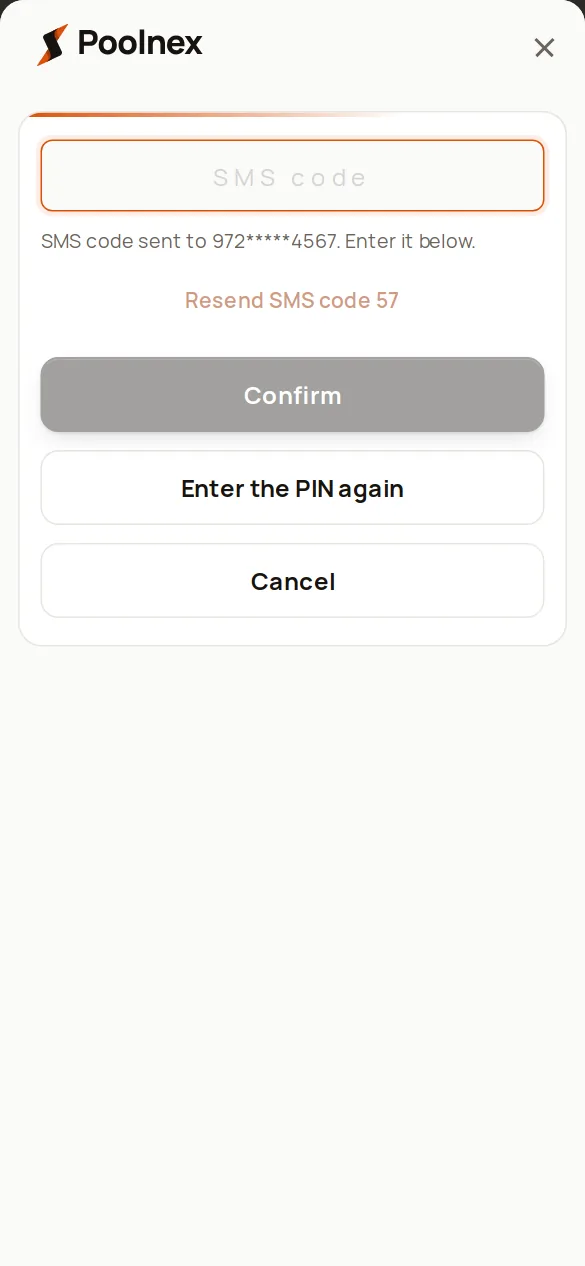
The SMS code step, with Resend and Enter the PIN again Step 4Check and withdraw
The last screen shows exactly what will arrive and where it goes. Read the warnings, then choose Withdraw.
Follow it in Activity until the network confirms it; its receipt shows the network transaction.
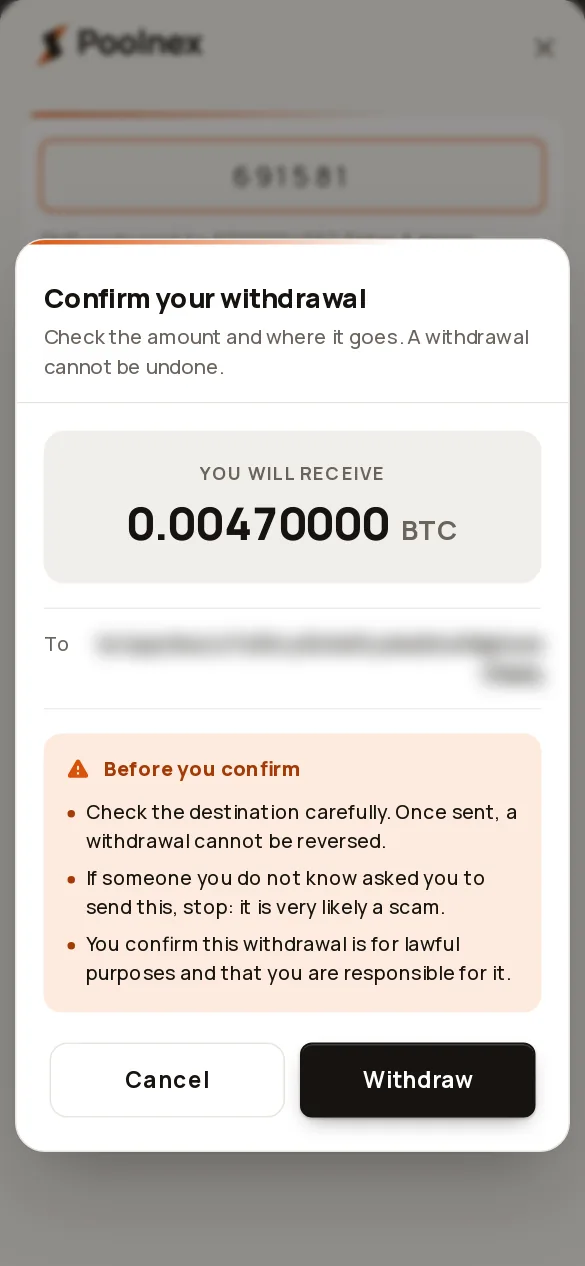
Confirm your withdrawal: what you will receive, the destination (blurred) and the warnings


Good to know
- If someone you do not know asked you to send crypto, stop: it is very likely a scam.
- Send a small amount first to a new address, and the rest once it has arrived.
Questions
Can I cancel a withdrawal?
No. Once sent, a crypto transaction cannot be reversed.
Why does it ask for an SMS code every time?
So that someone who learned your password or PIN still cannot move your money without your phone.
How it works, what it costs
Withdraw cryptoSend crypto to your own wallet, with the fee shown first.Ready to try it?
Open your account in minutes. Every service is ready once you are verified.