

Guide
Activity, receipts and CSV statements
Activity lists everything that moved in your account, grouped by day, with a receipt for each record.
Step 1Open Activity
Choose Activity at the top of the screen. Filter by type (deposits, withdrawals, exchanges, transfers and loans), currency, status or dates.
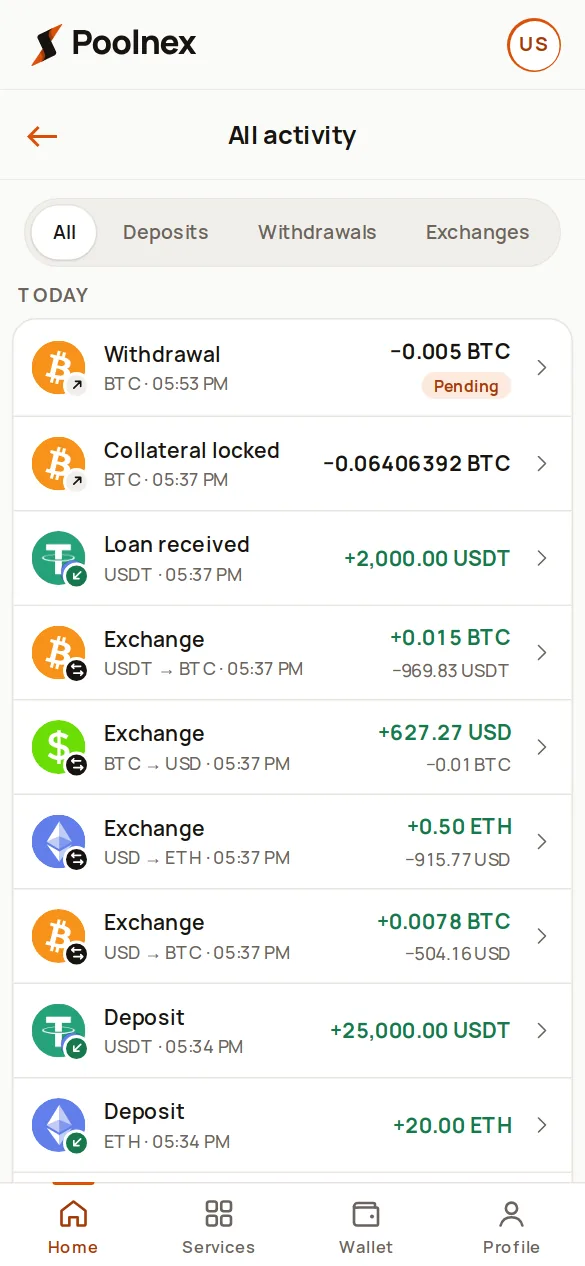
All activity: filters, Download CSV, and records grouped by day Step 2Open a receipt
Choose any record to open its receipt: amounts, rate, fee, date, status and its reference number.
Save or share it from the receipt; Open full receipt shows it on a page of its own.
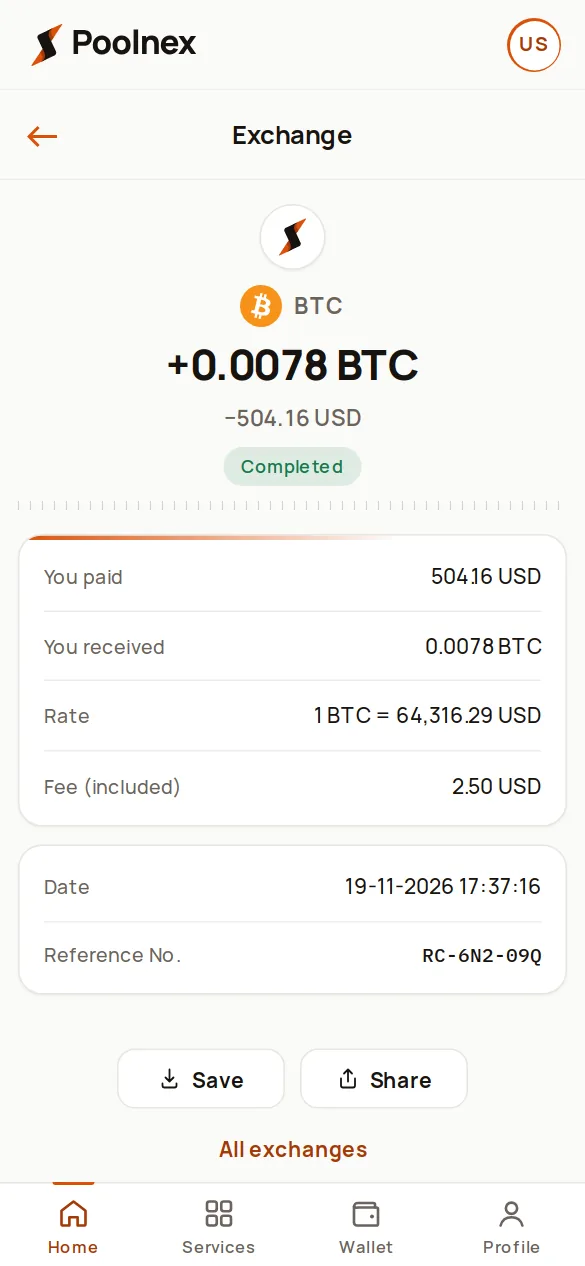
An exchange receipt: you paid, you received, rate, fee and reference Step 3Download a statement
Choose Download CSV to save the records you have filtered. The file opens in any spreadsheet.


About this service
How it works, what it costs
Holdings and activityEvery balance and its value, and every movement with a receipt.Ready to try it?
Open your account in minutes. Every service is ready once you are verified.