

Open a Poolnex account
One account gives you the wallet, buying and selling, bank and cash, loans and business payments. Opening it takes a few minutes.
Before you start
- An email address you can open now
- A mobile phone that can receive SMS
- Your identity document, for the next step
Step 1Choose Register
On poolnex.com, choose Register at the top right, or Open an account on any page.
Enter your email and a strong password you use nowhere else, then type it again to confirm it.
Tick the boxes to accept the Terms of Service and to confirm you are not a US citizen, then choose Register.
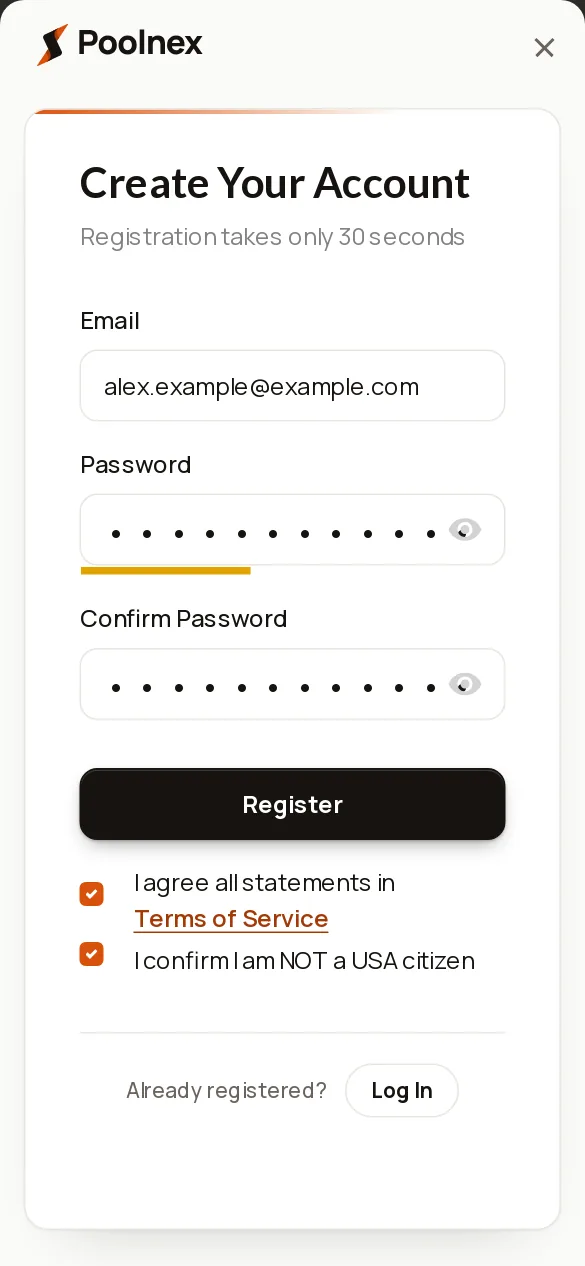
The Poolnex sign-up form with email, password and the two confirmations Step 2Confirm your email
We send a confirmation link to your email. Open it to confirm your address and continue.
No email after a few minutes? Look in your Spam or Junk folder. If it is there, mark it as “Not spam” so our next emails reach your inbox, or contact support.
Step 3Confirm your phone number
Enter your mobile number and the code we send to it by SMS. Your phone number also protects your withdrawals: each one asks for a code sent to it.
Step 4See where you are
Your profile shows each step: email, phone and identity. Choose Verify identity to finish; it opens every service.
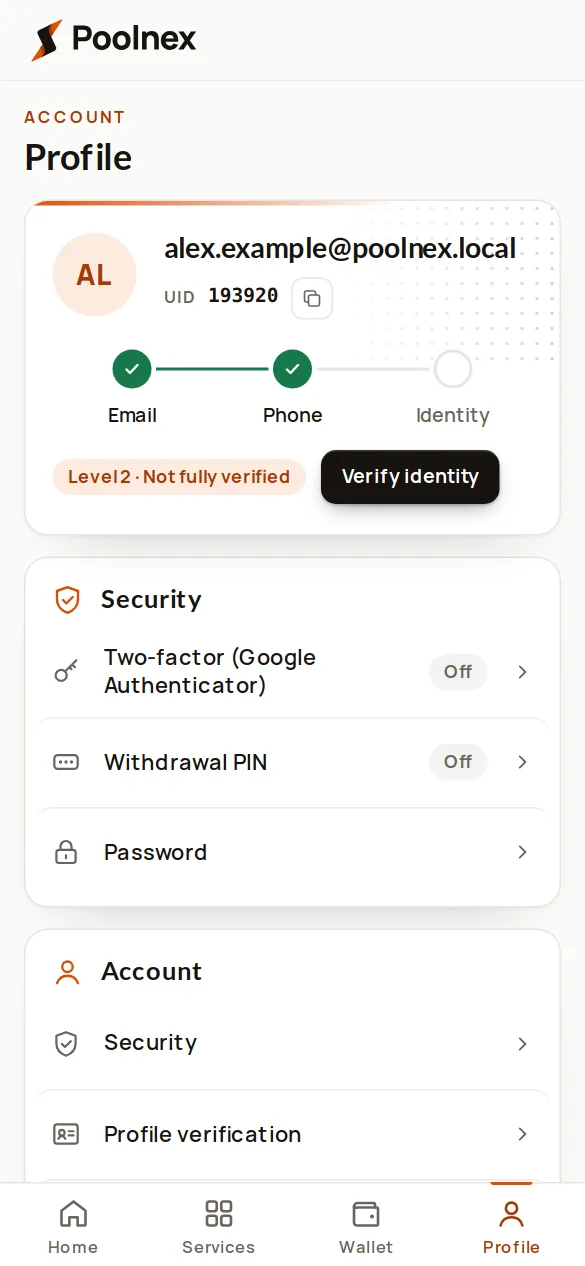
The Poolnex profile with email and phone confirmed and a Verify identity button


Good to know
- Poolnex will never ask for your password or the codes we send you, by phone, email or chat.
- Make sure you are on poolnex.com before you type your password.
Questions
Who can open an account?
Adults who are not US citizens and do not live in a restricted country. The Restricted Countries page lists where Poolnex does not offer its services.
Can I open a business account?
Yes. Open a personal account first, then switch on the business account in Settings.
How it works, what it costs
Verified customersEvery account verified with documents and screened against sanctions lists.Ready to try it?
Open your account in minutes. Every service is ready once you are verified.